Table of Contents
Running Your Node.js Application with PM2
Cluster mode, memory limits, zero-downtime reloads, and managing multiple apps — Part 2 of 3
In Part 1, we installed NVM, PM2, configured log rotation, and set up startup scripts. Now let's run the actual application.
Prerequisites
- NVM, Node.js, and PM2 installed (Part 1)
- A Node.js application with a
server.jsorapp.jsentry point - Dependencies installed (
npm installornpm ci)
Start the Application
Single Instance
cd /opt/myapp
pm2 start server.js --name myapp
That's it. PM2 is managing the process.
pm2 status
┌────┬────────┬──────┬───┬─────┬────────┐
│ id │ name   │ mode │ ↺ │ cpu │ memory │
├────┼────────┼──────┼───┼─────┼────────┤
│ 0  │ myapp  │ fork │ 0 │ 0%  │ 45.2 MB│
└────┴────────┴──────┴───┴─────┴────────┘
Cluster Mode — Use All CPU Cores
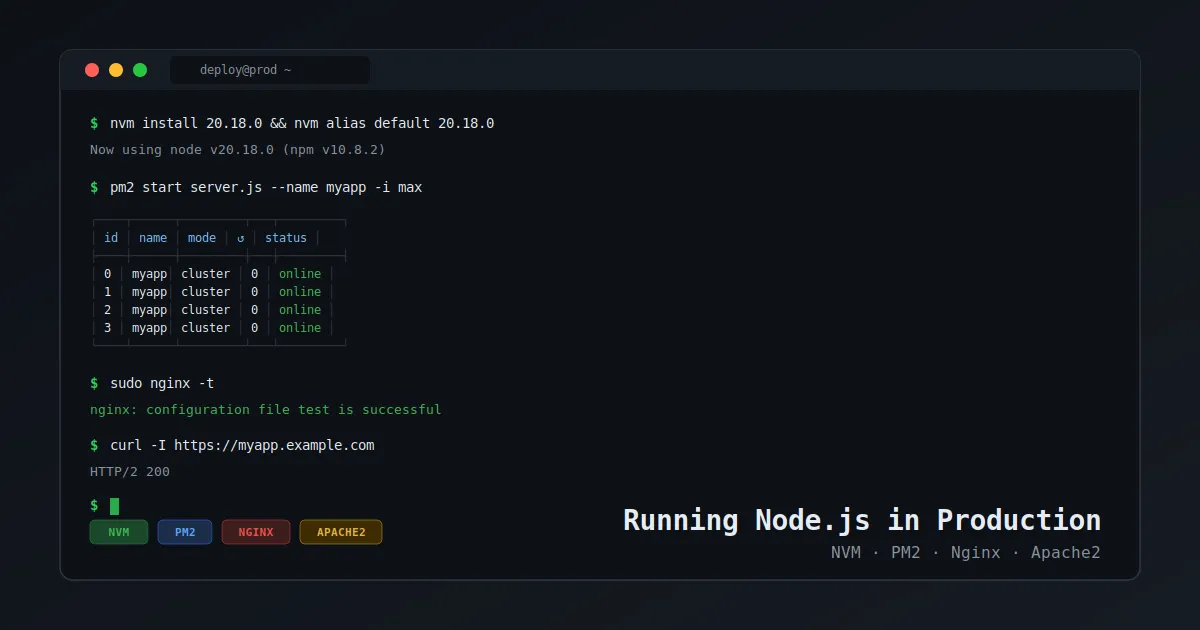
For production, run in cluster mode to utilize all available CPU cores:
pm2 start server.js --name myapp -i max -i max spawns one worker per CPU core. You can also specify a number:
pm2 start server.js --name myapp -i 4 Your app must be stateless for cluster mode to work correctly. Don't rely on in-memory sessions or local file writes that need to be shared across workers.
Pass Environment Variables
pm2 start server.js --name myapp --env production Or inline:
NODE_ENV=production PORT=3000 pm2 start server.js --name myapp Set Memory Limits
Automatically restart if memory exceeds 512MB:
pm2 start server.js --name myapp --max-memory-restart 512M When any instance exceeds 512MB, PM2 restarts it automatically.
Watching for File Changes (Dev/Staging Only)
pm2 start server.js --name myapp --watch --ignore-watch="node_modules logs" Don't use
--watchin production. A deployment that touches multiple files triggers multiple restarts. Usepm2 reloadinstead.
Zero-Downtime Reload
In cluster mode, reload restarts workers one at a time — no dropped requests:
pm2 reload myapp In fork mode (single instance), reload behaves like restart — brief downtime.
Verify the Application
# PM2 status
pm2 status

# Port listening?
ss -tlnp | grep 3000

# Hit the app
curl http://localhost:3000

# Logs
pm2 logs myapp --lines 50
Running Multiple Apps
pm2 start api.js --name api -i max
pm2 start worker.js --name worker
pm2 start scheduler.js --name scheduler
All managed together:
pm2 status
pm2 reload all
pm2 logs
Detailed Process Info
pm2 show myapp Troubleshooting
App crash-looping:
pm2 logs myapp --err --lines 100 Common culprits: missing env vars, port conflicts, unhandled promise rejections.
Port already in use:
sudo lsof -i :3000 PM2 shows errored status:
pm2 describe myapp High restart_time = crash loop. Check error logs.
What We Have So Far
- ✅ Part 1: NVM + PM2 + startup + log rotation
- ✅ Part 2: App running, cluster mode, memory limits, zero-downtime reloads
The app is running on localhost:3000 but not exposed to the internet yet.
Next up — Part 3: Reverse Proxy with Nginx and Apache2
Follow me for Part 3, or check out more DevOps content on khimananda.com.