Table of Contents
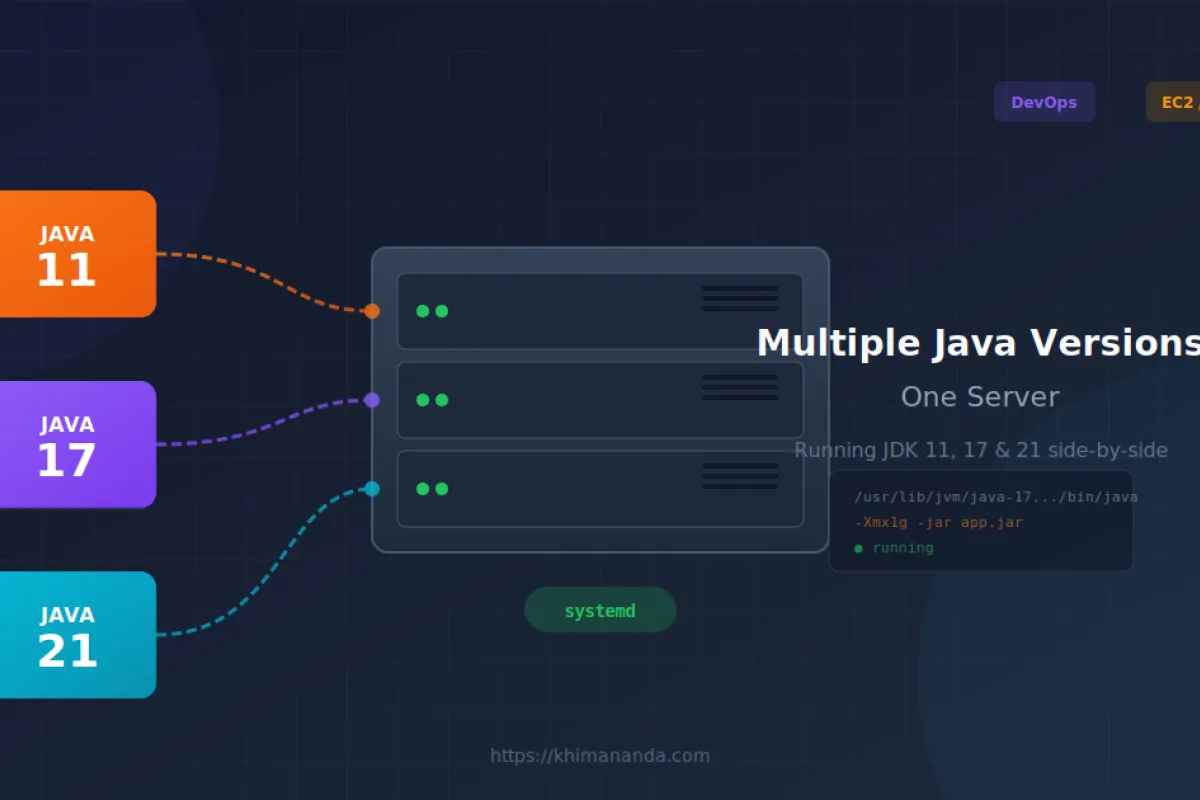
Because not every team migrates to Java 21 at the same pace
You've got six microservices. Three run on Java 17. Two are stuck on Java 11 (legacy vendor SDK, don't ask). One brave soul upgraded to Java 21. Management says: "Run them all on one box to save costs."
Here's how to do it without losing your mind.
The Problem
By default, Linux has one java in your PATH. Running java -jar app.jar uses whatever that default is. If your apps need different versions, you're stuck.
The fix: Don't rely on the system default. Point each app to its specific Java binary.
Step 1: Install Multiple Java Versions
Ubuntu/Debian
apt update
apt install -y openjdk-11-jre-headless \
               openjdk-17-jre-headless \
               openjdk-21-jre-headless
Amazon Linux / RHEL
yum install -y java-11-amazon-corretto-headless \
               java-17-amazon-corretto-headless \
               java-21-amazon-corretto-headless
Verify Installation
# List installed versions
update-java-alternatives --list  # Debian/Ubuntu

# Or find them manually
ls -la /usr/lib/jvm/
Typical Paths
| Distro | Java 11 | Java 17 | Java 21 |
|---|---|---|---|
| Ubuntu | /usr/lib/jvm/java-11-openjdk-amd64 | /usr/lib/jvm/java-17-openjdk-amd64 | /usr/lib/jvm/java-21-openjdk-amd64 |
| Amazon Linux | /usr/lib/jvm/java-11-amazon-corretto | /usr/lib/jvm/java-17-amazon-corretto | /usr/lib/jvm/java-21-amazon-corretto |
Step 2: Create Systemd Services with Explicit Java Paths
The key: Use absolute paths to the Java binary. Don't rely on JAVA_HOME or system defaults.
App 1: Legacy service on Java 11
# /etc/systemd/system/legacy-api.service
[Unit]
Description=Legacy API (Java 11)
After=network.target

[Service]
User=appuser
WorkingDirectory=/opt/apps/legacy-api

ExecStart=/usr/lib/jvm/java-11-openjdk-amd64/bin/java \
    -Xms256m -Xmx512m \
    -XX:+UseG1GC \
    -jar /opt/apps/legacy-api/legacy-api.jar

Restart=always
RestartSec=5

[Install]
WantedBy=multi-user.target
App 2: Main service on Java 17
# /etc/systemd/system/main-api.service
[Unit]
Description=Main API (Java 17)
After=network.target

[Service]
User=appuser
WorkingDirectory=/opt/apps/main-api

ExecStart=/usr/lib/jvm/java-17-openjdk-amd64/bin/java \
    -Xms512m -Xmx1g \
    -XX:+UseG1GC \
    -jar /opt/apps/main-api/main-api.jar

Restart=always
RestartSec=5

[Install]
WantedBy=multi-user.target
App 3: New service on Java 21
# /etc/systemd/system/new-api.service
[Unit]
Description=New API (Java 21)
After=network.target

[Service]
User=appuser
WorkingDirectory=/opt/apps/new-api

ExecStart=/usr/lib/jvm/java-21-openjdk-amd64/bin/java \
    -Xms512m -Xmx1g \
    -XX:+UseZGC \
    -XX:+ZGenerational \
    -jar /opt/apps/new-api/new-api.jar

Restart=always
RestartSec=5

[Install]
WantedBy=multi-user.target
Step 3: Enable and Start
systemctl daemon-reload
systemctl enable --now legacy-api main-api new-api

# Verify each is using correct version
systemctl status legacy-api
systemctl status main-api
systemctl status new-api
A Cleaner Pattern for Multiple Apps
If you're managing many services, use environment files to keep things DRY.
Create an environment file per app
# /opt/apps/main-api/.env
JAVA_HOME=/usr/lib/jvm/java-17-openjdk-amd64
JAVA_OPTS=-Xms512m -Xmx1g -XX:+UseG1GC
APP_PORT=8080
Reference it in the service file
[Service]
EnvironmentFile=/opt/apps/main-api/.env
ExecStart=/bin/bash -c 'exec $JAVA_HOME/bin/java $JAVA_OPTS -Dserver.port=$APP_PORT -jar /opt/apps/main-api/main-api.jar'

Restart=always
RestartSec=5

[Install]
WantedBy=multi-user.target
Why the bash -c wrapper? Systemd doesn't expand variables in ExecStart the way a shell does. The bash wrapper handles that.
Memory Planning Matters
Running multiple JVMs on one machine requires careful memory allocation. JVMs consume more than just heap — they use metaspace, thread stacks, and native memory.
A rough planning guide for a t3.large (8 GB RAM):
OS reserved:    ~1 GB
legacy-api:     -Xmx512m
main-api:       -Xmx1g
new-api:        -Xmx1g
worker-1:       -Xmx512m
worker-2:       -Xmx512m
scheduler:      -Xmx256m
------------------------------
Total:          ~3.8 GB heap + ~2 GB metaspace/overhead
Free:           ~1-2 GB buffer
Leave headroom. JVMs use more than just heap (metaspace, thread stacks, native memory).
Quick Reference
| Task | Command |
|---|---|
| List installed JDKs | ls /usr/lib/jvm/ |
| Check default Java | java -version |
| Change system default | update-alternatives --config java |
| Find Java path | readlink -f $(which java) |
| Check service Java | cat /proc/$(pgrep -f app.jar)/cmdline | tr '\0' ' ' |
The Takeaway
Running multiple Java versions on one server isn't complicated:
- Install all versions via package manager
- Use absolute paths in systemd services
- Never rely on system defaults
- Plan your memory budget
The trick isn't technical wizardry — it's being explicit about which Java runs which app.
Have a different approach? Running into edge cases? Drop a comment — I'd like to hear how others solve this.